One tap to start
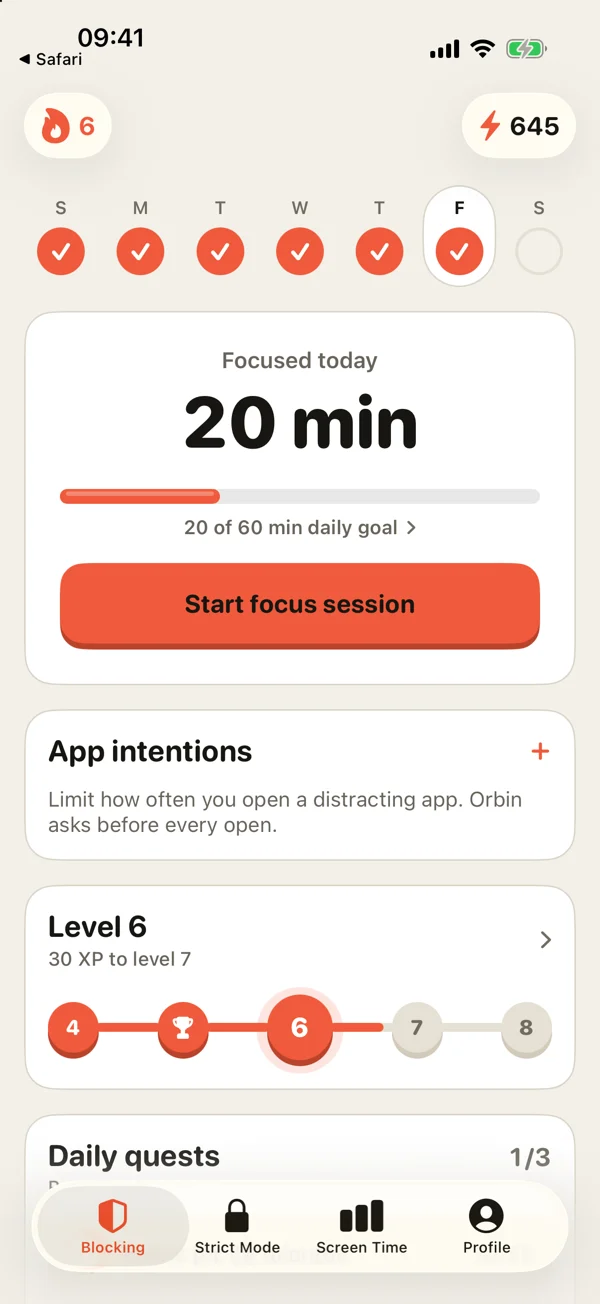
Today’s focus, your streak and your daily goal sit on one screen. Start a session without digging through settings.
Pick the apps that eat your day. Start a session. Orbin shields them until the timer ends, and you decide how hard it is to quit.
Choose apps and websites in Apple’s own picker. Orbin never sees which ones you chose.
25, 50 or 90 minutes, or your own. Then pick Gentle, Committed or Locked.
Shields go up the moment you start and come down when the timer ends.
You choose the level while you’re motivated. Future you gets the consequences. Pick a level, then press End session.
Type a phrase to end early.
Today’s focus, your streak and your daily goal sit on one screen. Start a session without digging through settings.
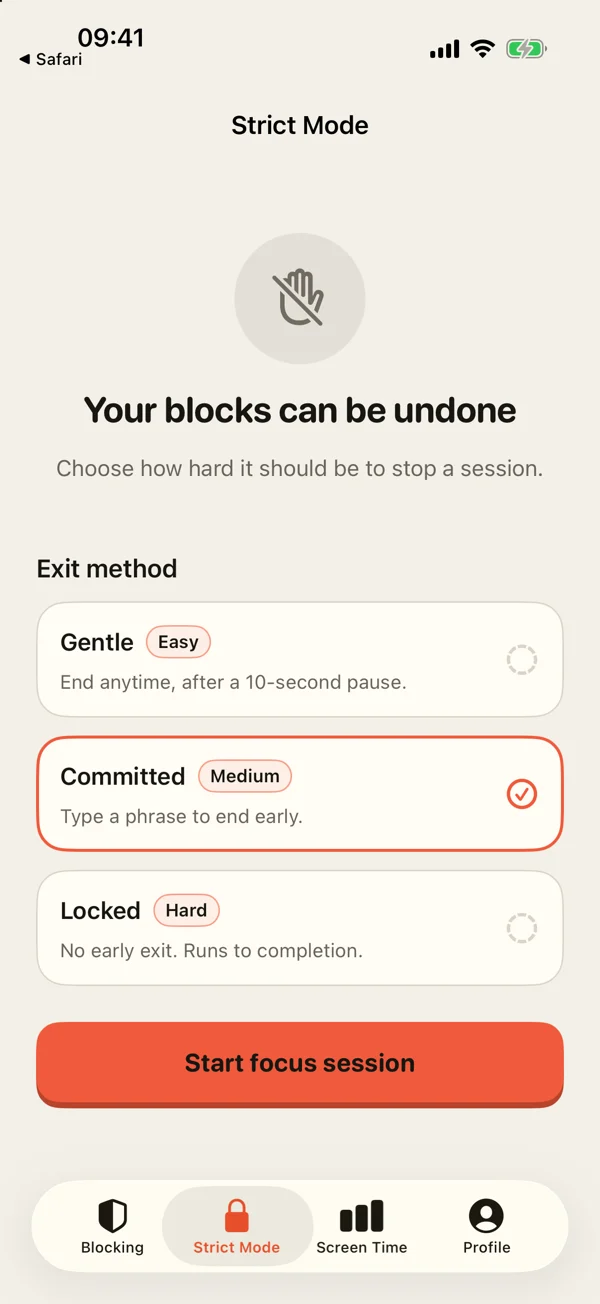
Gentle adds a pause. Committed makes you type a sentence you won’t enjoy typing. Locked doesn’t give you an off switch until the time is up.
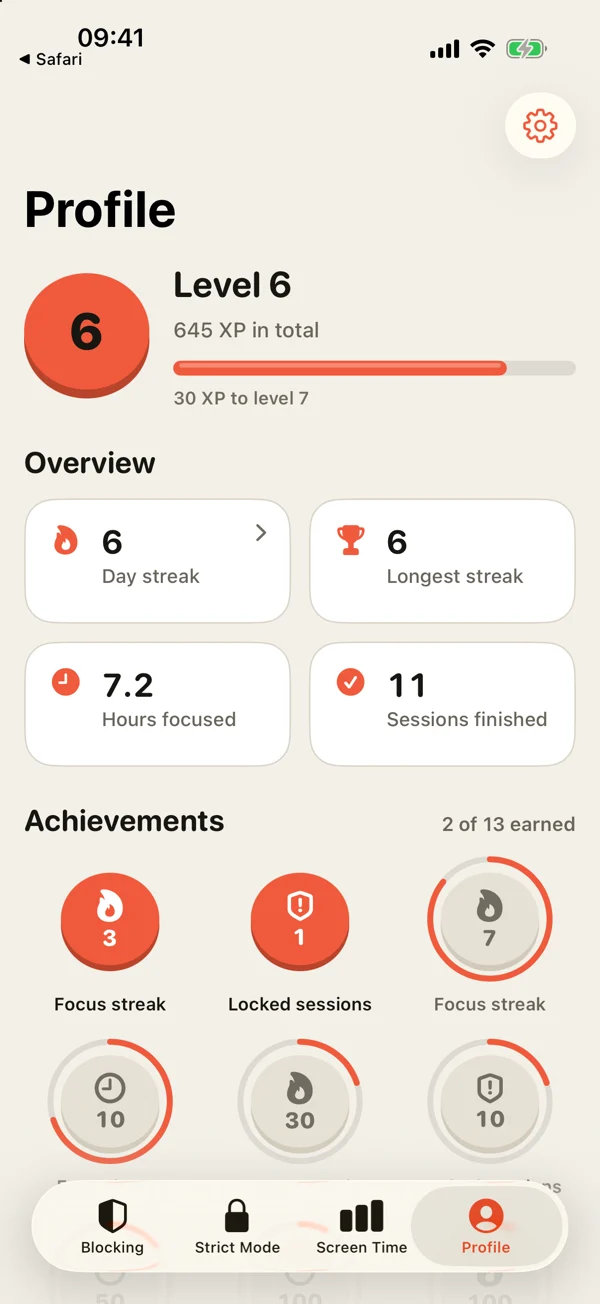
Streaks, levels and achievements are built from real focus time, not taps. Finish a session and it counts.
Orbin has no sign-up and no ads. The apps you block stay on your device, and Apple keeps them hidden from us.
Open the app and start. We never ask for your email or name to use it.
Apple’s picker hands Orbin sealed tokens. We can apply a shield, but we can’t read what’s inside.
No ads, no data brokers, no cross-app tracking. The privacy label says exactly what we collect.
Delete Orbin, or switch off Screen Time access, and every block lifts. We never hold your phone hostage.
Orbin has no free tier. Try everything for seven days, then pick the plan that fits.
$34.99a year
7 days free. About $0.67 a week.
$6.99a month
No trial. Cancel anytime.
$59.99once
One payment, yours to keep.
U.S. prices shown. Apple shows your local price at checkout. Subscriptions renew automatically unless you cancel at least 24 hours before the period ends, in Settings › Apple Account › Subscriptions.
Yes. Orbin uses Apple’s Screen Time framework, the same system behind Downtime and App Limits. Blocked apps and websites show an Orbin shield instead of opening, until your session ends.
That depends on the level you chose. Gentle ends after a 10-second pause. Committed asks you to type a sentence. Locked has no early exit, apart from one emergency exit a month. Uninstalling Orbin or turning off its Screen Time access always lifts every block.
There’s no account, and the apps you choose are sealed by Apple, so we can’t see them. Purchases go through the App Store, with Superwall managing subscription status. Scheduled sessions send their times, strict level and blocklist name to our server so your Live Activity can begin on time.
Yearly is $34.99 with a 7-day free trial. Monthly is $6.99. Lifetime is a single $59.99 payment. There is no free tier, and prices shown are in U.S. dollars.
Open Settings on your iPhone, tap your name, then Subscriptions, and choose Orbin. Cancel at least 24 hours before your trial or period ends to avoid the next charge.
English, Arabic with full right-to-left layout, and Spanish. It runs on iPhone with iOS 26 or later.
Your first week is free. Pick your apps, start a session, and see how much of the day was yours all along.
Download on the App Store